The idea
A money tracker that lives on your phone first. You add expenses, set budgets and split trip costs with friends, and it all works with no internet and no account.
Why I built it
Most expense apps want an account before they do anything, or they lose your data when you change phones. FinWise is made for Indian users who also split costs on trips and in groups, so those splits are part of the app, not an add-on.
How the data is used
- On your phone first. Every account, expense and budget is saved in a local database (Drift, which is SQLite) before anything else. The app is fast and works offline.
- Sync is optional. If you want the same data on your other phones, it syncs through Supabase or your own Google Drive. Each row is pulled by its last-changed time.
- Kept private in the database. On Supabase, every table has row-level security, so a signed-in user can only reach their own rows.
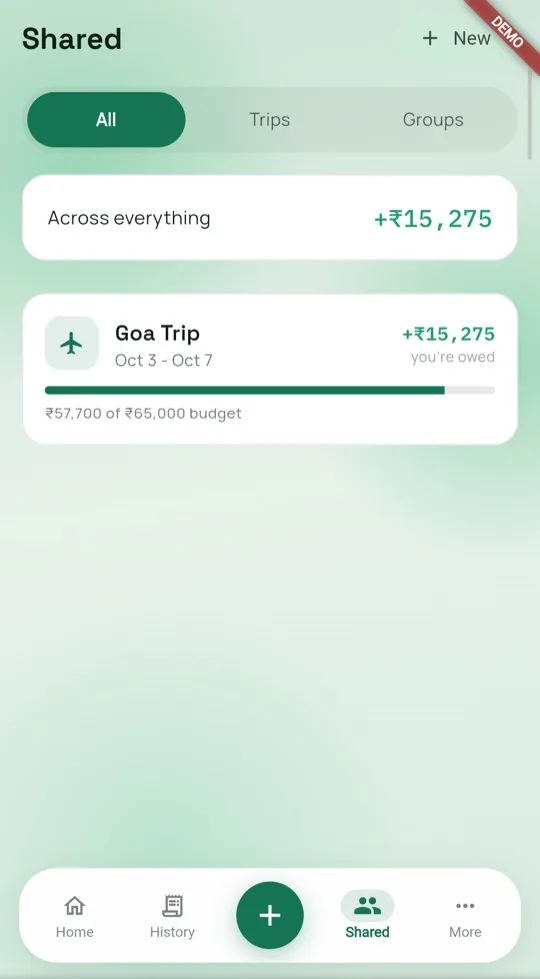
- Trips and groups. Members, expenses and each person’s share are stored as related rows, which is why the cloud side is Postgres, not a simple document store. A settle-up screen turns that into “who owes whom”.
- Not shared with other people yet. Sync works across your own devices. Sharing a trip with a second real person is planned as its own piece of work.
Key decisions
- Local database first, cloud second. The app never waits for a server, and sync is something you add.
- Supabase (Postgres) instead of Firebase. Splitting costs between members is relational, and SQL handles it cleanly.
- Deletes are marked, not removed. To make deletes sync, a deleted row stays and is flagged. SQLite only runs its cascade rules on a real delete, so I rebuilt every cascade by hand across the 8 synced tables and covered it with 15 tests. I wrote about it here.
Where it stands
In progress. Accounts, categories, budgets, recurring rules, trips and groups with settle-up, backup import and sync across your own devices work today. Real shared trips between different people are next.
Go deeper
How the plan was made: foundation first, cloud second
FinWise began as one person, one device, one local database, with no account and no cloud. The cloud sync was planned as milestones, and the order matters:
- Make deletes sync-safe and give every feature a repository layer. No cloud code yet.
- Create the Supabase project, schema and security rules. Nothing in the app talks to it yet.
- Sign-in with Google or email and password.
- Sync engine for accounts, categories and transactions.
- Extend sync to budgets and recurring rules.
- Real shared spaces between different people, planned as its own piece of work.
Decisions written down so they were not re-argued: sync is free for every signed-in user, a second device signing in to an account that already has cloud data asks whether to keep both or start fresh instead of silently merging, and live updates were deferred so sync runs when the app opens and shortly after you save.
Why local first, and how the cloud copy is protected
- Every table already had
updatedAt, a delete flag and a version column before sync existed, so the schema was ready. The two gaps found in an audit (deletes and missing repositories on budgets and recurring rules) were fixed first. - The Postgres schema mirrors the local one with three deliberate differences: text with a check instead of native enums, exact numbers instead of floats for money, and a user column on every table.
- Row-level security is on all 8 tables, so a signed-in user reaches only their own rows. A security and performance check flagged that the user lookup in each policy was being re-run for every row, so every policy now wraps it to run once per query.
- Sync is “pull what changed since last time”, using the last-changed time on each row.
Trips and groups: from a shared pot to "who owes whom"
Version one of shared spaces was a single pot with an even split. It then grew in three steps:
- Contributions and payments between members, so you can record “Meera paid me back ₹3,000”.
- Uneven splits, for the person who skipped the dinner.
- A settle-up screen that turns all of it into who owes whom.
FinWise never moves money itself. That boundary is deliberate, and a UPI shortcut that opens GPay or PhonePe with the amount filled in is planned, not built.
Moving in from another app
To make switching easy, I took apart a popular money manager’s backup file (a plain SQLite file with hundreds of real transactions, transfers, budgets and recurring rules) and built an importer from the real rows, not from guesses. It works on the web too, where there is no file system to read.
Google Drive as a second sync option
Some people do not want their data in Supabase. Drive was added as an alternative: one JSON file per table in the app’s hidden data folder, with sign-in still handled the same way. Switching backends resets the sync position, so the next sync starts cleanly against the new store.
Honest limits: it is a whole-file read and write, so two devices pushing the same table in the same few seconds could overwrite each other. That is acceptable for one person’s own data, and it is written down as a known limit. It is also not yet checked against a real Google account end to end, and the option is hidden on the web.
Design: three looks, one rule about the background
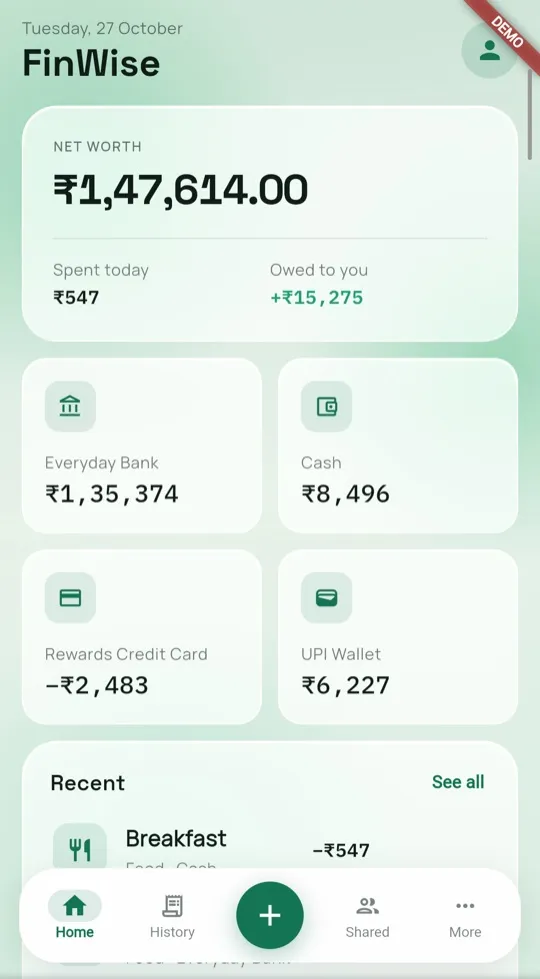
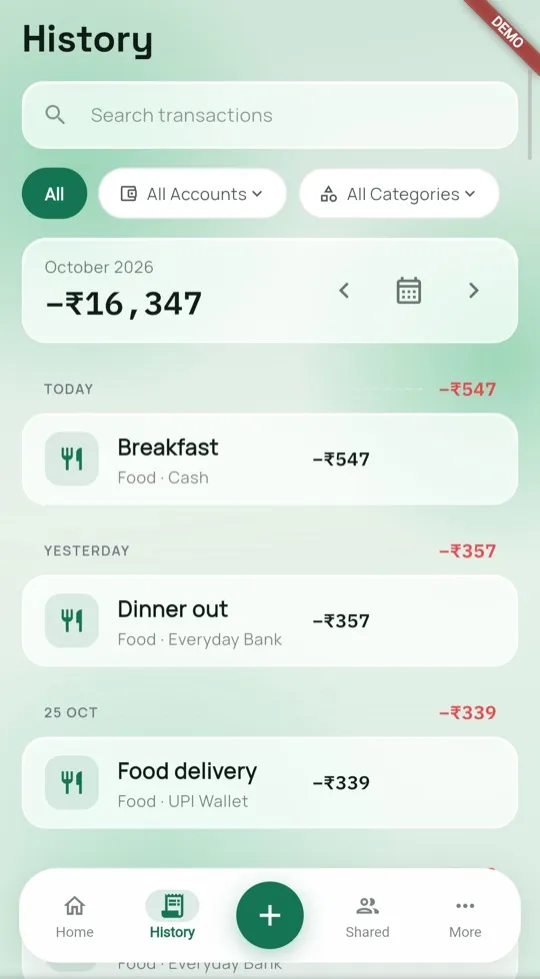
The app has three selectable looks, with Glass Forest as the default: frosted white cards floating on a mint gradient. A hand-built blur is used on a few large surfaces and never per row in a scrolling list. The page background is painted once, so no screen can punch a hole in it. All money amounts use a monospace font so digits line up, and negatives use a proper minus sign.
Honest limits
- Sync is across one person’s own devices. Sharing a trip with a second real person is not built yet.
- The Drive option has not been tested with a real account, and the web version does not offer it.
- The more screens, the more edge cases: the form screens inside Accounts, Transfer and Categories do not follow the three looks yet.